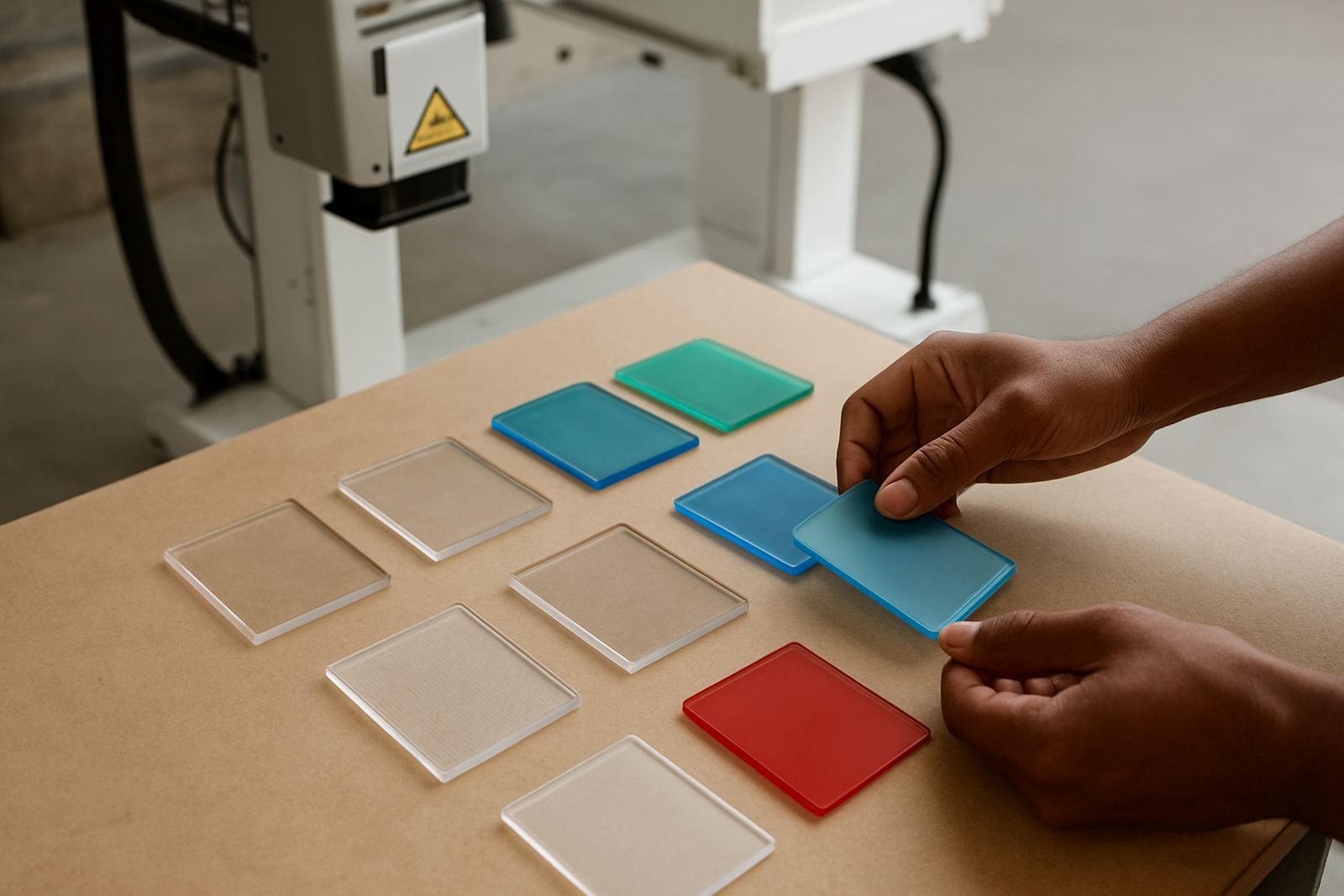


Why Marking Stations Lose Time So Quickly
In a busy plant, a UV laser marking station often gets treated as the last step in the line, so it is the first point where small problems show up. A bottle, cap, medical part or plastic component might still move through moulding, filling or assembly, but if the mark is faint, off-centre or inconsistent, the whole batch can stall while someone checks settings.
That is why uptime is not only about the machine itself. It is about the fixture, the part orientation, the cleanliness of the work area and how operators respond when something changes. If a line in Jet Park is running three shifts and the mark drifts by only a fraction, that can become a sorting job, a rework job and a late dispatch before lunchtime.
Simple Maintenance That Prevents Repeat Faults
Most marking problems start with predictable wear and contamination. Dust from cardboard, plastic fines, oily fingerprints and humidity all affect consistency. On sites near Boksburg and Germiston, where dock doors stay open for deliveries and forklifts keep moving, a clean marking area is not a nice extra, it is part of the job.
A practical maintenance routine should be short enough that it actually happens every day. Keep it specific and visible to the operator, not hidden in a file nobody opens.
- Wipe the fixture and part locator points at the start of each shift.
- Check that the mark field is clear of dust and residue.
- Inspect cables, connectors and safety covers for movement or looseness.
- Confirm the software job file is the correct version before production starts.
- Test a sample part after any change in material, colour or supplier.
Small checks take minutes. Unplanned stoppages can take hours, especially when a changeover happened after load-shedding and no one is sure whether the settings were saved properly.
Fixtures and Part Location Do More Than Hold a Component
A lot of marking downtime is really fixturing downtime. If the part sits differently every time, the laser has to work harder and the operator has to compensate. That leads to bad alignment, variable mark depth and extra rejects. A well-made fixture gives the line repeatability, which is what keeps output moving.
For round bottles, flat plastic housings or formed parts, the fixture should support the component in the same place every cycle. It must also allow quick loading and unloading so the operator is not waiting on awkward movement. In some cases a simple guide, stop or clamp solves more than a software adjustment ever will.
- Use positive stops so the part cannot shift during marking.
- Allow easy access for cleaning between batches.
- Design for the real operator movement, not only the drawing.
- Check that fixtures suit the actual part size, not just the sample sent in during testing.
In a Benoni plastics plant, a better locator setup can save more time than changing the mark file ten times. The line keeps flowing because the part arrives in the right position the first time.
Software Settings Need Discipline, Not Guesswork
Operators can lose a surprising amount of time by making small untracked changes to power, speed, focus or layout. Once one setting changes, the next shift often has to work backwards to find what was altered. That is why process discipline matters. Keep approved job files named clearly and lock down who can change them.
It also helps to record the settings for each material type. Glass, clear plastic and coloured plastic each behave differently, and a job that works on one grade may not work on another. A neat settings log is simple, but it stops a lot of repeated trial runs.
Where possible, keep a standard start-up routine for every job. The same sequence every time reduces errors and makes it easier to spot a real fault instead of a human one. That is especially useful when teams work across shifts and not everyone knows the history of a part run.
Coastal Humidity, Dust and Power Interruptions Change the Picture
South African plants do not all run in the same conditions. A site in Pretoria may deal with dry air and fine dust, while a coastal operation in Durban or Gqeberha may fight moisture and corrosion. Even inland, summer storms and load-shedding can interrupt production at the wrong moment.
Environmental control helps more than many teams expect. Keep the marking area as stable as possible, protect electrical components from dust and moisture, and make sure the line restart procedure is clear after a power cut. If a job stops halfway through a batch, the team should know exactly how to confirm the part count and restart point before production resumes.
When power quality is poor, do not assume every mark issue is caused by the machine. Sometimes the real problem is a cooling pause, a software reset or a controller that came back in a different state. A calm restart procedure avoids panic and keeps scrap down.
Training Is Part of Uptime, Not Separate From It
The best marking systems still depend on people. If the operator does not know how to check focus, confirm the correct file, spot a fixture fault or log a recurring error, the same stoppage can happen again tomorrow. Training should be practical and done on the actual line if possible.
A good training session covers the actions that matter during a normal shift and the actions needed when something goes wrong. That includes who to call, what to record and what not to adjust. On a busy plant floor, that clarity saves time and keeps tempers down.
For sites in Midrand, Alberton and Kempton Park, where production schedules are tight and deliveries cannot wait, refresher training is often the difference between a short pause and a full line stoppage. It also helps new staff settle in faster, which means fewer errors during the first few weeks.
A Local Example From Jet Park
At a Jet Park operation marking plastic components for distribution across Gauteng, the team had repeated stoppages because the part sat slightly differently after each changeover. The marks were technically possible, but the line kept stopping for alignment checks and rework. The issue was not the laser power. It was the combination of a worn fixture point, a dirty locator surface and a job setup that was not being verified after cleaning.
Once the fixture was adjusted, the cleaning routine was shortened and the operator checklist was tightened, the marking station ran more consistently. Downtime dropped because the line no longer had to stop for the same small problem over and over. That sort of fix is often straightforward, just not obvious when the team is under pressure.
For many factories, the win is not a major overhaul. It is steady maintenance, clear accountability and a setup that suits the product. Get those right and the marking station becomes a quiet part of the line, which is exactly what most production managers want.